Accounts
Sign up, email activation, login, forgot password, and profile edit. Roles already separate customers from agency staff.
Same booking logic as the website. Fewer login problems. Tickets and check-in on the phone, including when the connection drops. Telegram and error tracking are part of this offer.
The website and its API already run the business. The app will sit on that system. People keep one account. A booking made on the phone is the same booking as on the web.
Sign up, email activation, login, forgot password, and profile edit. Roles already separate customers from agency staff.
Search, request a time, transfer suggestions, booking, open requests, booked trips, past trips, and changes. Emails already go out for those events.
Flight list, flight details, booking, passenger data, and the customer’s own flight bookings.
Each request can produce a QR code. Agency staff confirm check-in on the website, including how many people boarded.
The site is available in English, German, French, Dutch, Hungarian, and Polish. Profile data already covers name, group, company, address, phone, email, and travel document.
People should finish the usual jobs faster than on the website, on a phone that already knows who they are.
iOS is built and shared for review first. Android follows once that version is accepted. Both are included. Account deletion is not included. The agency back office, events, routes, users, and statistics stay on the website.
The linked preview is a set of MVP screens. It is there so you can click through and see what the app will contain, for a customer and for agency check-in. It is not the finished design.
The real app will look more finished and more detailed. Wording, layout, and details stay open and can change to match what you want. The preview is enough to see the shape of it.
A customer sees only their own trips. The booking steps match the website, including confirmation of the booking conditions.
Existing account, new account, email verification, and forgot password. This is needed the first time. After that the app stays signed in on that phone.
From, to, date, passengers, and search. The next upcoming trip sits under the search, with a way into the full trip list.
Proposed transfers for that search, with time, route, and price. Booking asks for the same confirmation of conditions as the website, then completes the reservation.
When nothing fits, the customer requests a departure. Nearby confirmed transfers stay visible so they can still join one. They are told they will be notified when the request is confirmed.
Route, departure, status, passenger, and the QR code for check-in. Once opened, the ticket and code stay available offline.
Open requests, booked transfers, and past trips. A customer can open a booking and update it where the website already allows that.
Flight list, flight details, booking, edit, and the customer’s flight bookings. Terms are available in the app.
The same fields as the website: name, group, company, address, phone, email, travel document, and password. A change is saved immediately in the existing system.
Agency staff use the same app and the same accounts. Check-in appears only for agency and administrator roles. A customer never sees these screens. Sign-in is the first time only. The phone stays signed in after that, the same way it does for a customer.
Email and password, once. The next time the app opens, staff land on the trip list. They are not asked to log in again.
A list of transfers for check-in, with route and departure. Staff tap the trip they are working. Scanning starts only after a trip is selected.
Everyone booked on that transfer, and who is already checked in. This is the screen they work from at the door.
The camera reads the QR code and opens that passenger on the selected trip. If the code belongs to another trip, staff see that instead of checking the wrong bus.
Name, route, and departure, then confirm how many people boarded, or undo a check-in. The result is written to the same record as the website.
When the system already sends an email, the app also sends a push. Emails continue as they are. Typical messages:
One group per transfer gives staff a single place to post a time change, a gate change, or a delay. Customers on that ride see the same update instead of a chain of separate messages.
Telegram does not let a normal bot create a group and drop every customer into it. Adding someone also fails when that person has no Telegram on the phone number we have, or when their privacy settings refuse group invites. Because of that, the reliable flow is the one below. The exact details stay open until we align them.
The app and the new mobile endpoints will report failures and basic usage. When something breaks, we get the error, the screen, and the device, without waiting for a customer to describe it. We can also see which steps people finish and which they abandon.
Crashes and exceptions from the app and from the API changes behind it. Alerts when a new error appears. There is a free developer plan, and paid plans if volume grows. Pricing sits on sentry.io/pricing.
Product analytics: sign-in, search, booking, ticket open, check-in. A free tier covers a limited monthly volume. Paid plans are listed on posthog.com/pricing.
Clearer application logs are included as well, so a booking or a check-in can be traced on the server when a phone report is not enough. Connecting Sentry and PostHog is part of this offer. If you later move off the free plans, that subscription is paid by SEE Travel directly to those services. It is not part of the fee below.
iOS, Android, customer booking, EasyFlight, offline tickets, agency check-in, push, Telegram, and the monitoring setup. One month of bug fixing after handover, for the app and the Telegram functionality.
For one month after handover we fix defects in the delivered app and in the Telegram functionality. A defect is something that does not work as described in this offer. A new screen or a new rule is quoted on its own.
The first full version for testing will be ready at the beginning of December 2026. December is for testing, and for changes where something needs to be adjusted. From the start of the new year, or earlier if we decide, the app goes to the stores and to production.
None of this is inside the €6,000. It is the short list of upgrades that came out of the conversation, once the app itself is in use.
A chat on the website, in the app, or in both. It answers from the offers and trips that already exist: which transfer fits, what a status means, how booking works, what to do at check-in, and what to expect on the day of the trip. You choose which of those it is allowed to talk about. A customer gets the answer in the moment, instead of hunting through the site or writing to the office.
The panel is the chat already open, with example lines. This is not the final wording. A lot of detail still gets added, and you decide which topics it may answer.
I land at Gardermoen on 27 November, around noon. Which bus goes to Oslofjord?
SEE TravelTransfer 1367 leaves OSL Gardermoen at 13:00 and arrives at Oslofjord at 15:00. It is confirmed, with 49 free seats.
How do I check in?
SEE TravelOpen the ticket and show the QR code on the bus. It stays on the phone if the connection drops. Staff scan it and confirm how many of you boarded.
What if the pickup time moves?
SEE TravelYou get the same notice as the email, as a push. If you joined the Telegram group for that ride, the update is posted there too.
The pages already do the work. Booking, the transfer list, customer requests, and users can be much easier to read without changing the fields or the actions. The direction is the same white, gray, and SEE Travel red, with the content pulled into a calm layout instead of stretched across the window.
Today is on the left. A proposal for the same screen is on the right. This is not the final look. A lot of detail still gets added, and wording stays open to whatever you want adjusted. The pictures are here so you can see that these pages can feel a little more modern.
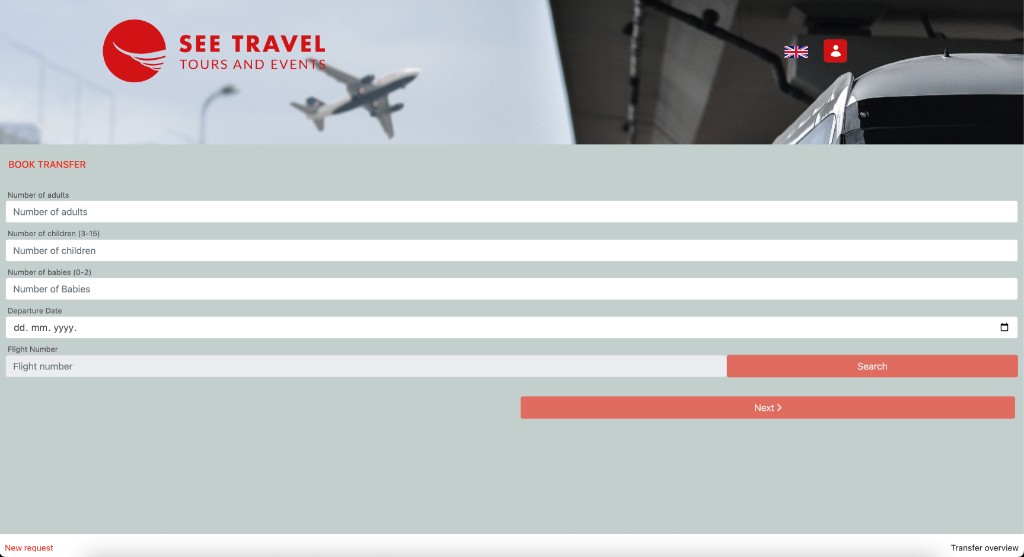
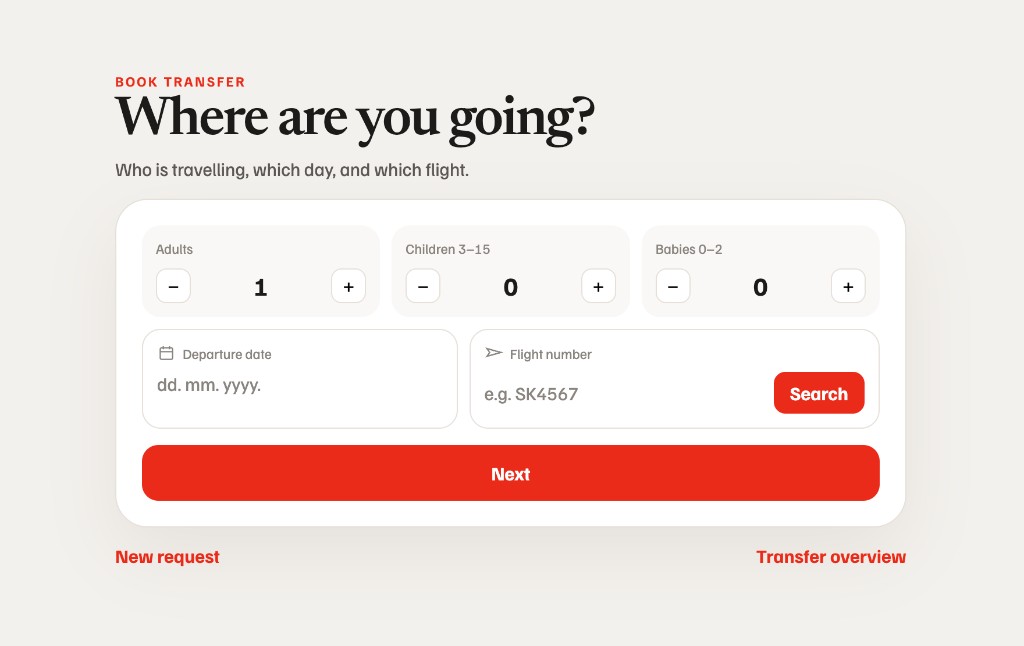
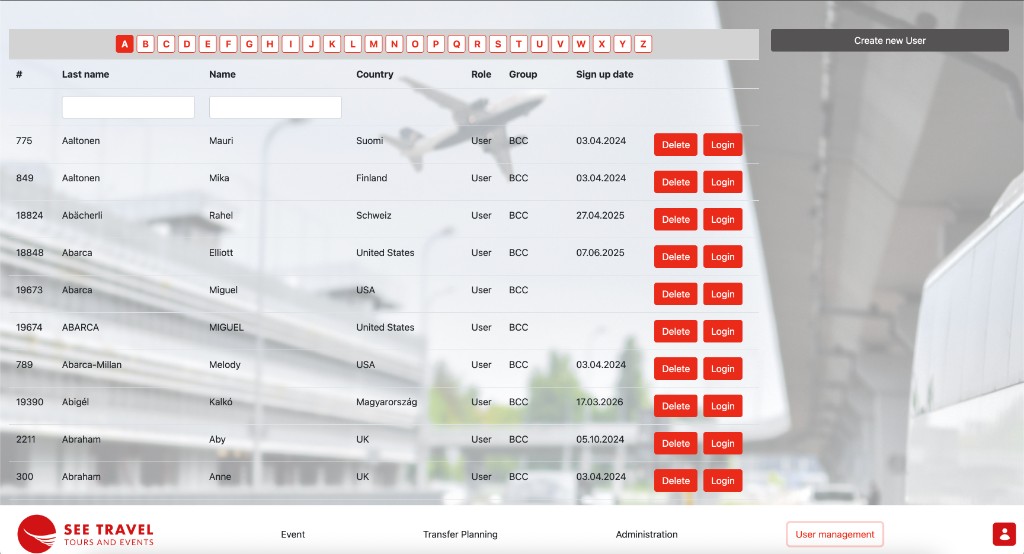
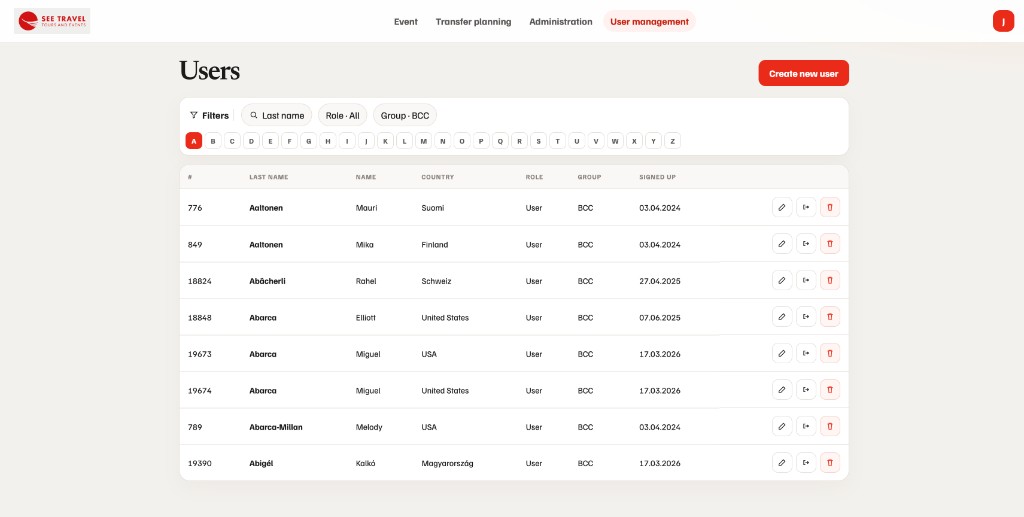
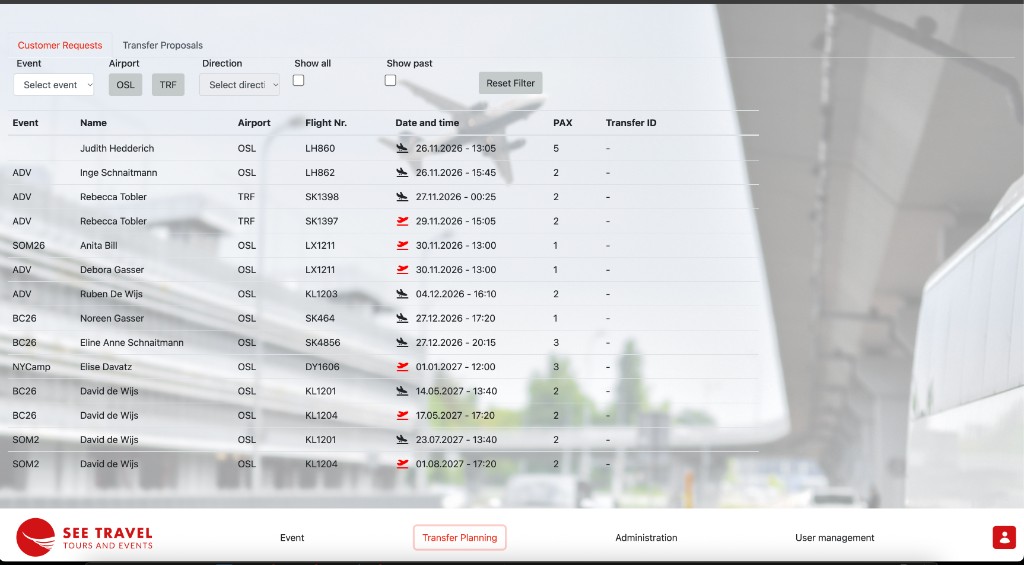
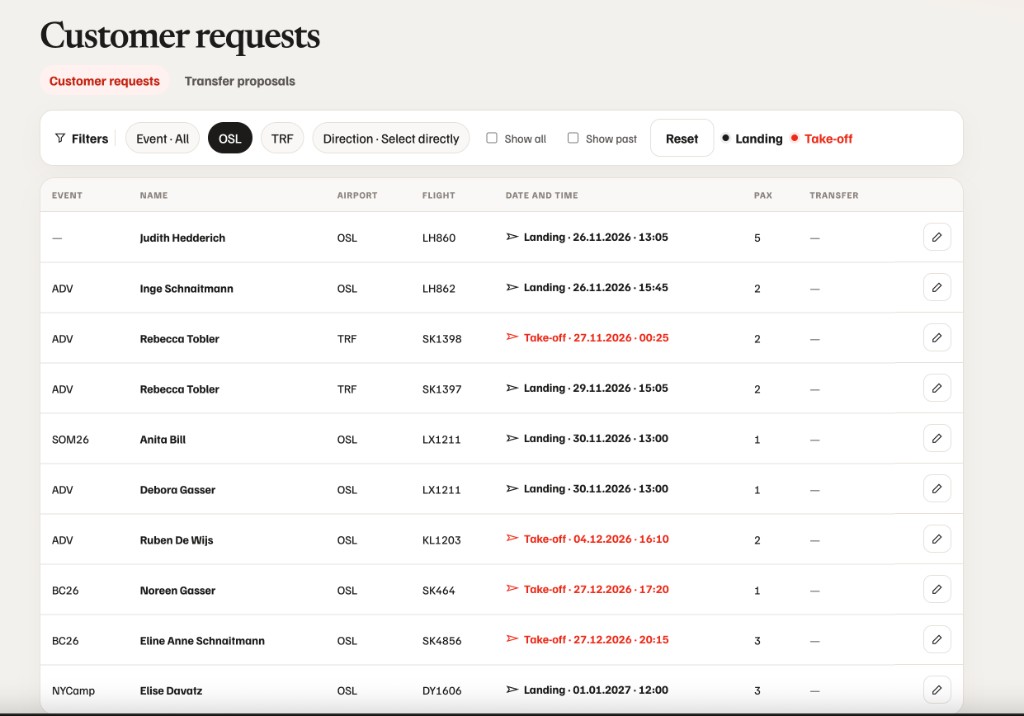
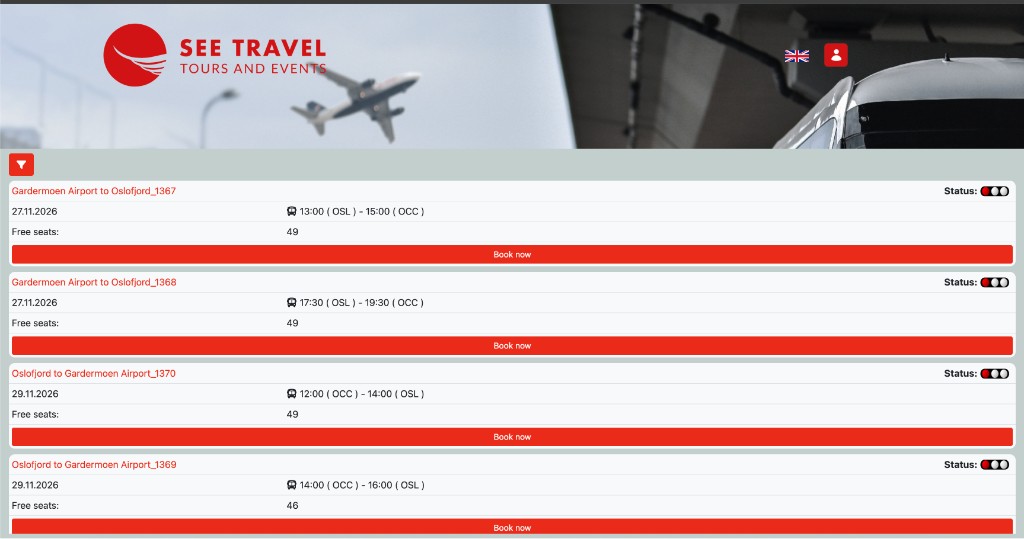
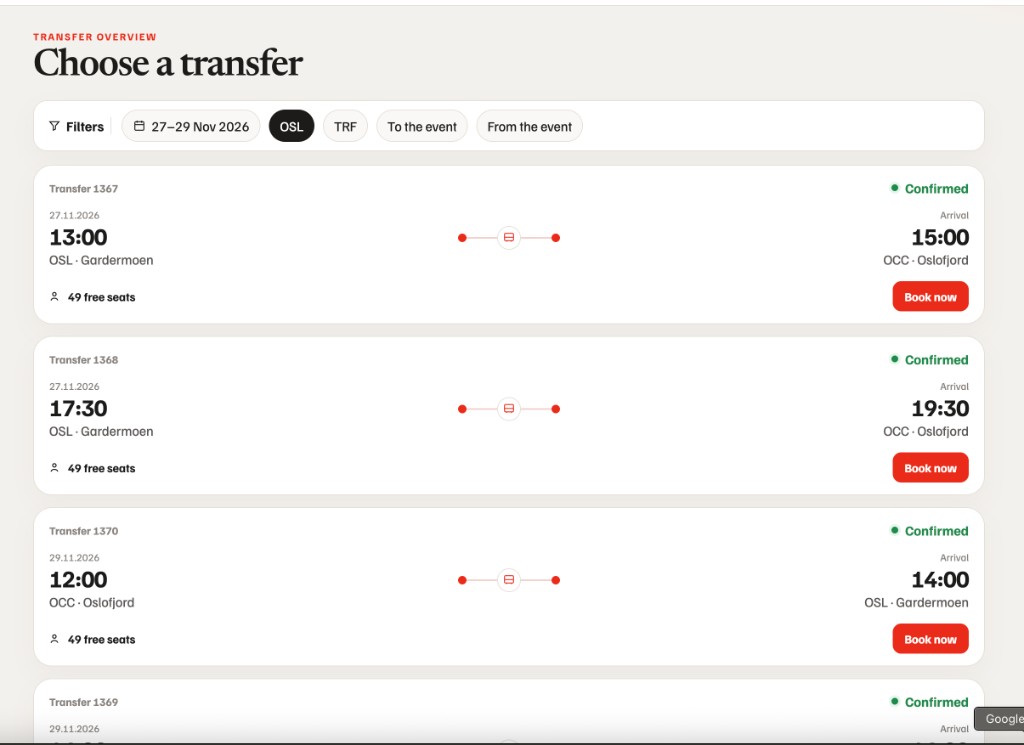
Agency screens sit on a large background photo, and the long lists arrive as one table. The customer form runs the full width of the window. A lighter working screen, and lists that load in pages, make the same tasks quicker to open and quicker to scan.